Introducing Modoboa Pro

This first release ships virtual hosts management: the ability to turn a single Modoboa instance into a multi-tenant, white-label mail hosting platform. It's the first building block of Modoboa Pro, and more features are on the way in the near future.
If you run mail hosting for more than one organisation — an agency serving clients, an MSP, or a company managing several brands — you've probably wished each customer could have their own branded portal, on their own hostname, with HTTPS that just works. That's exactly what virtual hosts deliver, without spinning up a separate server per tenant.
What virtual hosts give you
- Virtual hosts — give each tenant its own public hostname (e.g. mail.acme.com, mail.example.org) served from the same Modoboa instance.
- Automatic HTTPS — TLS certificates are issued and renewed automatically via Let's Encrypt. No manual certbot, no calendar reminders, no expired-certificate incidents.
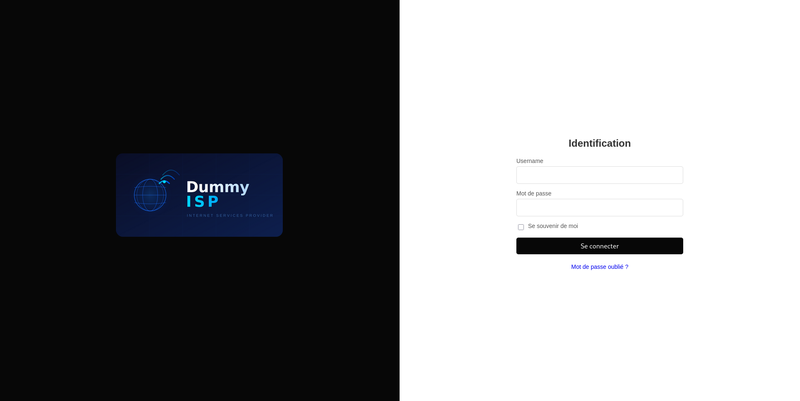
- Per-tenant branding — each hostname can carry its own logos (login page, side menu, signup form) and its own colour palette. Customers see their brand, not yours.
- Tenant isolation — users signing in through a branded hostname can only reach the domains that belong to that tenant. One instance, many isolated front doors.
- One-click provisioning — creating a virtual host automatically generates its Nginx configuration, requests its certificate, and brings it online. Nothing to wire up by hand.
The result: the operational simplicity of a single Modoboa instance, with the look, feel, and boundaries of dedicated per-customer deployments.
Why we built it
Modoboa has always been about making mail hosting approachable. But running it professionally — hosting for others, at scale, under multiple brands — meant a lot of glue: reverse-proxy configs, certificate lifecycles, theming hacks, and access rules. Modoboa Pro is where we fold that kind of professional tooling into the admin UI you already use, and virtual hosts management is just the beginning — we'll be adding more pro features in upcoming releases.
Under the hood (for administrators)
Modoboa Pro ships as a Modoboa extension plus a Vue 3 / Vuetify frontend remote, loaded by the host shell at runtime. Here's what actually happens when you operate it.
Virtual hosts & the provisioning chain
Each virtual host is a public hostname linked to one or more of your mail domains. Creating one kicks off a strict, fail-safe provisioning chain:
bootstrap Nginx config → issue Let's Encrypt certificate → final HTTPS Nginx config → ready
- A minimal HTTP-only Nginx block is written first so the ACME HTTP-01 challenge can be served.
- The certificate is issued, then the final block is generated with HTTPS, an HTTP→HTTPS redirect, the uWSGI upstream, and static asset serving.
- Any failure cancels the remaining steps and records the error, so you never end up with a half-broken config. States are pending, ready, or failed, and a Retry provisioning action re-runs the chain once you've fixed the root cause.
Filesystem and system operations (writing configs, managing sites-enabled/ symlinks, reloading Nginx) run on a dedicated privileged background queue — certificate work runs on the modoboa queue, so a slow ACME call never blocks anything else.
Automatic certificate renewal
A daily cron job, check_certificate_renewals, scans every enabled host and enqueues an independent renewal job for any certificate within the configurable threshold (30 days by default). Disabled hosts are skipped — they can't answer the ACME challenge anyway.
Register it in your host Modoboa's cron_config.py:
from modoboa_pro.virtualhosts import jobs as virtualhosts_jobs

register(
 virtualhosts_jobs.check_certificate_renewals,
 queue_name="modoboa",
 cron="17 3 * * *",
)
Per-host theming & isolation
Each virtual host exposes five colour overrides (primary / light / dark / secondary / label) and three logo slots (login, menu, creation form). Blank fields fall back to your instance-wide defaults, and theming is resolved per request by hostname — it takes effect immediately, no re-provisioning required.
Isolation is enforced at login: a non-superuser signing in through a tenant's hostname is denied unless their mailbox domain (or a domain they administer) is linked to that host. Superusers and the primary instance hostname are never restricted.
Configuration & API
Global ACME and Nginx settings (storage path, account email, renewal threshold, config directories, uWSGI socket, instance path) are managed through GET/PUT /api/v2/parameters/virtualhosts/. The virtual-host lifecycle is driven by a superadmin REST API under /api/v2/virtualhosts/ (list, delete, set state, retry provisioning, read/update theme, upload/clear logos).
Licensing
Pro features are gated behind a lightweight installation registration — not DRM. You set MODOBOA_PRO_LICENSE_KEY in settings; the install registers once with the licensing endpoint and stores only a SHA-256 hash of the key (never the key itself). Until it's registered, the plugin shows an activation screen and its endpoints return 403 license_required. Remove or change the key and it re-locks immediately.
Getting started
Modoboa Pro is available now. Add the extension to your Modoboa instance, set your license key, activate, and create your first virtual host from the admin UI.
This is the first feature of Modoboa Pro — stay tuned, more pro-grade features are coming soon.